5/12/2026
Data Analytics10 Powerful AI Tools Every Data Analyst Must Know in 2026
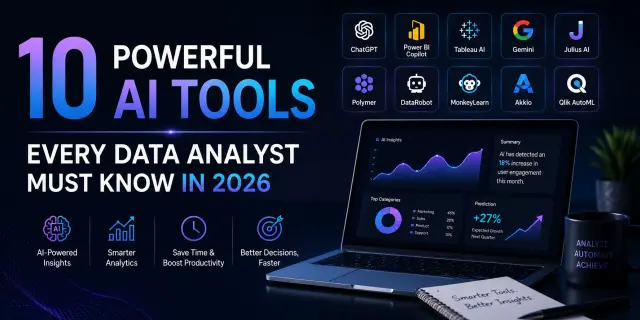
Table of contents
Table of Contents
- Introduction
- Quick Answer
- Why AI Tools Matter for Data Analysts in 2026
- Top 10 Powerful AI Tools Every Data Analyst Must Know
- Comparison Table of the Best AI Tools for Data Analysis
- How to Choose the Right AI Tool for Your Work
- Step-by-Step: How Beginners Can Start Using AI in Data Analytics
- Real Example: How an Indian Analyst Cut Reporting Time by 70%
- Common Mistakes to Avoid While Using AI Tools
- FAQ Section
- Final Thoughts
- SEO Notes
10 Powerful AI Tools Every Data Analyst Must Know in 2026
In 2026, as everything evolves, data analysts are updating as well. This blog provides a guide to AI tools for data analysts in 2026. The best AI tools now automate the repetitive and boring tasks and save your time to invest in other tasks. But there is a challenge, and that is to find the right and effective tools for that query. This writing piece is perfect for you, so stay tuned to know the right AI tools that can seriously improve your speed and provide your required career growth.
Quick Answer:
TL;DR: The best AI tools for data analysts 2026 include ChatGPT, Microsoft Power BI Copilot, Tableau AI, Google Gemini, Polymer, DataRobot, and Julius AI. These tools help automate data cleaning, dashboard creation, reporting, forecasting, and insight generation — saving hours of manual work and improving accuracy.
Why AI Tools Matter for Data Analysts in 2026
The role of a data analyst has changed dramatically in the last two years.
We've seen companies in India actively hiring analysts who understand AI-assisted workflows. Tools like ChatGPT, Power BI Copilot, and Tableau AI are becoming part of daily operations in startups, agencies, e-commerce brands, and enterprise teams.
McKinsey & Company has estimated that generative AI is good enough to automate 60–70% of tasks involved in repetitive knowledge work. This includes most tasks performed by junior analysts, such as reporting and analysis.
Another study by Gartner predicted that by 2026, most data analytics platforms will include AI-powered assistants by default.
That’s exactly why learning AI tools for data analysts 2026 is becoming a major career advantage.
Top 10 Powerful AI Tools Every Data Analyst Must Know
1. OpenAI ChatGPT
Best for: Data analysis, SQL help, Excel formulas, report summaries
One of the most pragmatic tools for data analytics free users can start with today is ChatGPT.
You can use it to:
- Write SQL queries
- Explain Excel formulas
- Summarize datasets
- Create Python scripts
- Generate dashboard insights
- Simplify technical reports
Real-world use case
In one case, a junior analyst at an e-commerce firm based in Gurgaon sought to automate weekly reporting summaries using ChatGPT. To complete the task before it took me 4 hours every Mondays, It was more than 50 minutes before — with AI prompts and templates, it fell to less than 45 minutes. data science and analytics course
2. Microsoft Power BI Copilot
Best for: Dashboard creation and business reporting
Power BI Copilot is changing how dashboards are built. Instead of manually dragging fields and writing DAX formulas, users can type commands like:
- “Create a sales trend dashboard”
- “Compare last quarter revenue by city”
- “Show customer retention insights”
AI can automatically generate visuals. According to Microsoft, businesses using AI-assisted analytics tools report faster decision-making and reduced reporting delays.
Why it’s powerful in India
Well, many Indian startups and agencies are using Microsoft products in their daily work routine. That’s why it would be easier for them to adopt Power BI Copilot than switching to any unfamiliar niche software.
3. Tableau Tableau AI
Best for: Interactive data storytelling
Tableau AI focuses heavily on visualization and insight generation.
It helps analysts:
- Detect trends automatically
- Generate smart summaries
- Build interactive dashboards faster
- Explain charts in plain English
One thing practitioners love about Tableau AI is how client-friendly the dashboards look. That matters when presenting to non-technical stakeholders.
If you work in consulting, agencies, or client reporting, this tool can seriously improve presentation quality.
4. Google Gemini
Best for: Spreadsheet analysis and automation
Google Gemini integrates deeply with:
- Google Sheets
- BigQuery
- Workspace tools
You can ask Gemini questions directly inside Sheets like:
- “Find unusual spending patterns”
- “Summarize this data”
- “Create a monthly growth chart”
This is ideally build for beginners who are not familiar with coding yet and looking for something more comfortable to use. For students learning AI in data analytics India, Gemini feels easier because most people already use Google Workspace daily. python course
5. Julius AI
Best for: Beginners learning data analysis with AI
Julius AI has become popular because it feels simple and visual. You upload a dataset and ask questions in plain English.
Example:
- “Show customer churn trends”
- “Predict future sales”
- “Explain this graph”
That makes it one of the best AI tools for data analysts who are just starting after 12th or graduation.
6. Polymer
Best for: No-code dashboard creation
Polymer converts spreadsheets into dashboards instantly.
This is useful for:
- Marketing teams
- Small businesses
- Freelancers
- Startup founders
Best advantage – you don’t need coding or any SQL knowledge. Many agencies use Polymer to generate client reports immediately without hiring dedicated BI developers.
7. DataRobot
Best for: Predictive analytics and forecasting
This tool helps focus more on machine learning automation. This includes tasks such as building predictive models and generating precise and valuable insights without any manual testing.
It helps analysts:
- Build predictive models
- Forecast trends
- Detect anomalies
- Automate AI workflows
While beginners may find it advanced, experienced analysts love its automation capabilities.
8. MonkeyLearn
Best for: Text and sentiment analysis
MonkeyLearn becomes extremely useful. The tool uses AI to categorize and analyze text automatically. This is becoming important because companies now care deeply about customer sentiment tracking.
If you're analyzing:
- Customer reviews
- Survey responses
- Social media comments
9. Akkio
Best for: Fast AI predictions without coding
Best tools for business analysts and marketers. This helps in building and deploying AI models faster without any programming requirement.
You can:
- Predict sales
- Forecast churn
- Analyze campaign performance
- Automate reporting
Its interface feels beginner-friendly, which is why many freelancers and startup teams prefer it.
10. Qlik AutoML
Best for: Enterprise-level analytics
Qlik AutoML mixes classic BI dashboards with AI forecasting, so you can spot trends and make predictions more easily without needing deep technical skills or heavy coding.
Large companies use it for:
- Operational analytics
- Supply chain insights
- Revenue forecasting
- Risk analysis
Comparison Table of the Best AI Tools for Data Analysis
Tool
Best Use
Beginner Friendly
Free Version
Ideal For
ChatGPT
SQL, reports, formulas
Yes
Yes
Students & analysts
Power BI Copilot
Dashboards
Medium
Limited
Business reporting
Tableau AI
Visualization
Medium
Trial
Client presentations
Gemini
Spreadsheet analysis
Yes
Yes
Google users
Julius AI
AI analysis
Yes
Yes
Beginners
Polymer
No-code dashboards
Yes
Trial
Agencies & startups
DataRobot
Predictive analytics
No
Demo
Advanced analysts
MonkeyLearn
Text analysis
Yes
Limited
Marketing analytics
Akkio
Forecasting
Yes
Trial
Small businesses
Qlik AutoML
Enterprise analytics
Medium
Trial
Large companies
How to Choose the Right AI Tool for Your Work
If You're a Beginner After 12th
Start with:
- ChatGPT
- Gemini
- Julius AI
These tools are easier to understand and don’t require coding knowledge initially.
If You're Already Working as an Analyst
Focus on:
- Power BI Copilot
- Tableau AI
- Qlik AutoML
These improve productivity and client reporting quality.
If You Want High-Paying Analytics Roles
Learn:
- SQL + ChatGPT
- Python + AI workflows
- Power BI AI features
- Generative AI for data science
Companies now prefer analysts who can combine analytics with AI automation.
Step-by-Step: How Beginners Can Start Using AI in Data Analytics
Step 1: Learn Spreadsheet Basics
Start with Excel or Google Sheets first.
Understand formulas, charts, sorting, filtering, and pivot tables. AI tools become easier once you know basic data handling.
Step 2: Use ChatGPT for Small Tasks
Ask ChatGPT to:
- Explain formulas
- Write SQL queries
- Analyze CSV files
- Summarize reports
This helps build confidence quickly.
Step 3: Practice Dashboard Building
Use Power BI or Tableau.
Start with free datasets from Kaggle or government portals.
Step 4: Learn Prompt Writing
AI tools work better when prompts are clear.
Instead of:
“Analyze data”
Try:
“Find monthly sales growth trends and explain possible reasons.”
Good prompting is becoming a real analyst skill now.
Step 5: Build Portfolio Projects
Create:
- Sales dashboards
- Student performance reports
- E-commerce analytics
- Social media analysis
Then upload them on LinkedIn or GitHub. Recruiters love practical projects more than certificates alone.
Real Example: How an Indian Analyst Cut Reporting Time by 70%
A digital marketing agency in Delhi was managing weekly reports for 18 clients manually. The analyst team was spending almost 22 hours every week just building dashboards, writing summaries, and pulling campaign insights.
After implementing:
- ChatGPT for report summaries
- Power BI Copilot for dashboards
- Gemini for spreadsheet analysis
The reporting workload decreased to six hours of work each week.
The team received additional time to concentrate on strategic activities and campaign development, and improved client communication because of this change.
AI tools for data analysts in 2026 demonstrate their ability to transform normal business operations through this specific instance.
FAQ Section
What are the best AI tools for data analysts in 2026?
The leading AI solutions for data analysis in 2026 include ChatGPT, Power BI Copilot, Tableau AI, Gemini, Julius AI, and DataRobot. The tools provide automated reporting capabilities which enable faster insight development and better forecasting results while decreasing the amount of time analysts need to spend on their daily research tasks.
Can beginners use AI tools for data analytics free?
Yes, many AI tools provide free plans or trial access. Tools like ChatGPT, Gemini, and Julius AI are especially beginner-friendly and are commonly used by students who are starting out in data analytics after 12th or graduation.
How is ChatGPT used for data analysis?
This is used by data analysts to explain Excel formulas, write SQL queries, summarize datasets, and understand Excel formulas.
Will AI replace data analysts in India?
No, this is only a myth that AI will replace many jobs, including Data Analyst. But the reality is different, AI is not replacing jobs, even though it is reshaping the way work is done. So, instead of thinking that AI will eat your job, find a way how you can use AI to make your work more efficient.
Which AI tool is best for dashboards and reporting?
Power BI Copilot and Tableau AI are considered strong options for dashboards and reporting. They automate the creation of visual reports and offer smarter and faster AI business insights.
Do I need coding skills to use AI tools in analytics?
Not strictly required. Some tools such as Polymer, Julius AI, and Gemini work with plain-english based commands. But if you have some basic knowledge of SQL and Python then you can expect more career growth with more wider job opportunities.
What salary can AI-skilled data analysts expect in India?
An AI-skilled data analyst can expect between ₹4–8 LPA in India. Rest depends on your skills, projects, and job location.
Conclusion
AI tools are changing how data analysts work in 2026 by making data preparation, analysis, visualization, and reporting faster and more efficient. However, these tools work best when combined with strong analytical thinking and data skills. Learning how to use AI alongside Gemini in Google Sheets SQL, Python, Power BI, and other analytics tools can improve productivity and career opportunities. Keep exploring new AI tools, practice with real datasets, and focus on creating meaningful business insights.
About the Author
Quick facts
Name: Deepanshu
From: Delhi
Education: MCA
Program: Data Science and Data Analytics
Placed in: NIDADS (National Institute of Data Analytics & Data Science)
Covers topics: Data Science, Data Analytics, Artificial Intelligence, Machine Learning, Data Engineering, Deep Learning
Currently working as: Senior Data Analyst
In his words: "Data doesn't just tell you what happened — it tells you what to build next. My job is to turn numbers into decisions that actually move the needle."