6/7/2026
Data AnalyticsHow to Use ChatGPT for Data Analysis: Prompts, Use Cases & Practical Guide (2026)
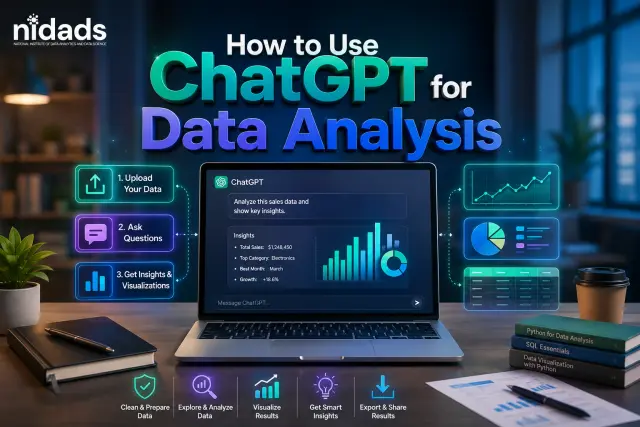
Table of contents
If you've been spending hours cleaning data, writing Python code, or staring at a messy Excel sheet trying to figure out where to start — ChatGPT can genuinely save you a lot of that time.
This isn't about replacing your skills. It's about making your work faster, smarter, and a lot less frustrating.
In this guide, you'll learn exactly how data analysts use ChatGPT at work — with real prompts you can copy, practical use cases, and honest advice on where it helps and where it falls short.
TL;DR
- ChatGPT's Advanced Data Analysis feature lets you upload CSVs/Excel files and get insights, charts, and cleaned data — no code needed (Plus plan)
- Free plan users can still use it to generate Python and SQL code on demand
- Top use cases: data cleaning, EDA, code debugging, file analysis, and report writing
- Always verify outputs — ChatGPT can hallucinate, so treat it as a fast first draft, not a final answer
What Is ChatGPT's Advanced Data Analysis Feature?
Before jumping into prompts, it helps to know what you're working with.
ChatGPT (Plus and above) comes with a built-in Advanced Data Analysis feature that lets you upload files — CSVs, Excel sheets, PDFs — and ask questions about them directly. It can run Python code in the background, generate charts, clean data, and give you outputs without you writing a single line of code yourself.
For free users, ChatGPT can still help with data analysis through text-based prompts — writing Python or SQL code you can run yourself, explaining datasets, or helping you structure your analysis.
| India, notably, uses ChatGPT for data analysis at four times the global average. If you're a student or working professional here and not using it yet, you're leaving a serious productivity advantage on the table.python and data science |
5 Practical Use Cases of ChatGPT for Data Analysis
1. Data Cleaning and Preprocessing
Messy data is the reality for every analyst. Inconsistent date formats, blank cells, duplicate rows — it eats time.
Prompt to try:
"I have a CSV with sales data. The 'Date' column has mixed formats (DD-MM-YYYY and MM/DD/YYYY), and there are blank rows in the 'Revenue' column. Write Python code using Pandas to standardise the date format and fill missing revenue values with the column median."
ChatGPT will give you clean, working code. You run it, the data is fixed. Done in two minutes instead of twenty.
2. Exploratory Data Analysis (EDA)
EDA is often where beginners feel stuck — they have data but don't know where to begin. ChatGPT is genuinely useful here.
Prompt to try:
"I've uploaded a CSV of customer purchase data with columns: CustomerID, Age, City, ProductCategory, PurchaseAmount, Date. What EDA steps should I follow, and can you write the Python code to generate summary statistics and a correlation heatmap?"
It will walk you through the analysis logic and produce ready-to-run code. A great way to learn while doing.
3. Writing and Debugging Python Code for Analysis
This is where ChatGPT for data analysts really shines. Whether you're a beginner who struggles with syntax or an intermediate analyst hitting a Pandas error — ChatGPT fixes it fast.
Prompt to try:
"I'm getting a KeyError when running this line: df['profit'] = df['revenue'] - df['cost']. Here's my dataframe head: [paste your data]. What's wrong and how do I fix it?"
It reads your data, identifies the issue, and gives you corrected code with an explanation. Much faster than 20 minutes on Stack Overflow.
4. Analysing CSV Files and Excel Data Directly
If you have a ChatGPT Plus account, upload your file directly and ask questions in plain English — no code needed.
Prompt to try: big data course
"Here's my sales data for Q1 2026. Which product category had the highest average revenue? Show me a bar chart comparing all categories."
ChatGPT will process the file, calculate the answer, and generate the chart — all within the chat window. This is especially useful for quick business reporting or when you need insights without setting up a Python environment.
5. Generating Data Analysis Reports
Writing a summary after your analysis is often the part analysts dread most. ChatGPT can help you turn raw findings into a clean, readable report.
Prompt to try:
"Based on this data: [paste key findings], write a short data analysis summary for a business stakeholder. Use simple language, highlight the top 3 insights, and suggest one next step."
The output won't always be perfect, but it gives you a solid draft in seconds that you can edit — rather than starting from a blank page.
ChatGPT vs Python for Data Analysis: What's the Difference?
A question that comes up a lot, especially among beginners.
The honest answer is: they work better together than apart.
ChatGPT is not replacing Python. What it does is dramatically lower the barrier to using Python. You describe what you want in plain English, and it writes the code. You still run the code. You still understand the output. But you spend far less time on syntax and far more time on actual thinking.
For someone learning data analysis in India right now — whether you're fresh out of 12th grade or switching careers — pairing ChatGPT with a structured Python course gives you a real edge in interviews and on the job. data analyst roadmap for beginners
Prompts That Actually Work: A Quick Reference
Here's a summary of the most useful ChatGPT prompts for data analysis tasks:
Task
Prompt Starter
Data cleaning
"Write Pandas code to clean this dataset..."
EDA
"What EDA should I run on this data and how?"
Visualisation
"Generate a bar chart comparing these columns..."
Debugging code
"I'm getting this error. Here's my code and data..."
Report writing
"Summarise these findings for a non-technical audience..."
SQL queries
"Write a SQL query to find the top 5 customers by revenue..."
Outlier detection ChatGPT data analysis
"Identify outliers in this dataset using the IQR method..."
Save these. You'll use them more than you think.
Limitations to Be Aware Of
ChatGPT is powerful, but it's not perfect — and knowing its limits makes you a better analyst, not a worse one.
It can hallucinate. Sometimes it generates code that looks right but has a subtle bug. Always run and verify the output.
It doesn't have your data context. The more specific and detailed your prompt, the better the response. Vague inputs give vague outputs.
It's not a substitute for understanding. If you use ChatGPT to complete analysis without understanding what it's doing, you won't be able to explain it in an interview or adapt it for a different problem. Use it as a tool to learn faster, not to skip learning entirely.
Who Should Learn This?
If you're a data analytics student, a working professional in India looking to upskill, or someone preparing for a data analyst role — knowing how to work with AI tools like ChatGPT is now a baseline expectation, not a bonus.
Hiring managers in 2026 aren't just looking for people who can code. They want people who can get results efficiently — and that means knowing which tools to use and when.
At NIDADS, our courses cover AI tools alongside Python, SQL, Power BI, and machine learning — so you graduate job-ready, not just certificate-ready. If you're figuring out where to start, explore our Data Analytics programs here.
Final Thoughts
ChatGPT for data analysis isn't magic — but used well, it's one of the most practical productivity tools available to analysts today.
Start with one use case. Pick the messiest, most time-consuming part of your current workflow — whether that's writing code, cleaning data, or building reports — and try a prompt for it this week.
Once it clicks, you won't go back.
About the Author
Quick facts
Name: Deepanshu
From: Delhi
Education: MCA
Program: Data Science and Data Analytics
Placed in: NIDADS (National Institute of Data Analytics & Data Science)
Covers topics: Data Science, Data Analytics, Artificial Intelligence, Machine Learning, Data Engineering, Deep Learning
Currently working as: Senior Data Analyst
In his words: "Data doesn't just tell you what happened — it tells you what to build next. My job is to turn numbers into decisions that actually move the needle."