11/18/2026
Latest NewsGit vs GitHub: From Local Code to Team Projects
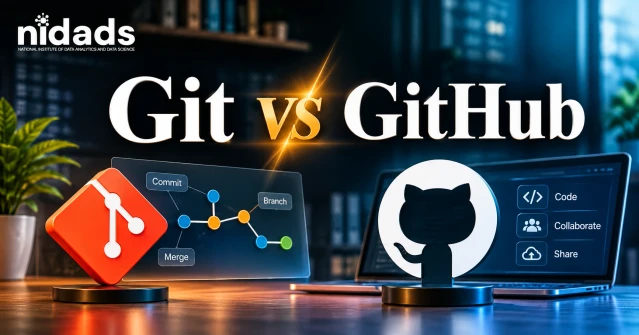
Table of contents
Git vs GitHub: Follow a Code Change From Your Computer to a Shared Repository, Pull Request and Team Review
Git is a tool, and GitHub is a platform. Git is free version control software that tracks changes to your code on your own computer. GitHub is an online service that hosts Git repositories and adds collaboration features like pull requests. You use Git to manage history and GitHub to share and review.
Key takeaways
• Git tracks changes on your computer, while GitHub stores and shares Git projects online.
• You can use Git without GitHub. GitHub, on the other hand, is built on Git.
• Every change sits in one of four places, starting in your folder and ending on GitHub.
• Six commands cover most beginner work: init, add, commit, push, pull and clone.
Quick Glossary
A repository is your project folder plus its whole history. A branch is a separate line of work. The staging area is a waiting room for changes before a commit. And a pull request asks your team to look over a branch before it’s merged.
What Is Git?
Git is a free, open-source distributed version control system that records every change to your files. Linus Torvalds created it in 2005 for the Linux kernel.
Think of save points in a video game. Each save point is a commit: a snapshot plus a short note. Break something? Jump back to any of them.
“Distributed” sounds fancy, but it only means every computer holds the full project history. That’s why you can commit and create branches without any internet.
What Is GitHub?
GitHub is an online platform that hosts Git repositories and adds teamwork tools. It launched in 2008, and Microsoft has owned it since 2018.
Beyond hosting, you get pull requests, issues, GitHub Actions (automation) and Projects (planning boards). It’s not another name for Git, though plenty of beginners assume it is.
In open source, you fork a project (that’s your own copy), make your changes and open a pull request. Maintainers review it before merging.
Git vs GitHub: What Is the Main Difference?
Git is the tool that tracks changes. GitHub is the website where Git projects are shared and reviewed.
| Feature | Git | GitHub |
| Internet | Not needed for most tasks | Needed |
| Main job | Track history | Share, review, automate |
| Pull requests | Not a Git feature | Core feature |
| Code review | No built-in tool | Comments and approvals |
| Cost | Free and open source | Free and paid plans |
How Do Git and GitHub Work Together?
You save work with Git on your computer, then push it to GitHub so others can review and merge it.
When I teach this, I use something I call the 4-Place Change Map:
| Place | Where | What moves a change here |
| 1. Working folder | Your computer | Editing a file |
| 2. Staging area | Your computer | git add |
| 3. Local repository | Your computer | git commit |
| 4. GitHub repository | Internet | git push |
Only place 4 is actually on GitHub. Most beginners trip here, assuming git add uploads files. It doesn’t.
Data teams use this map daily for notebooks and models, as this guide to Git and GitHub for data science projects shows.
Step by Step: Upload Your First Project
Install Git from git-scm.com, set your name, then run these commands in order.
git config --global user.name "Your Name"
git config --global user.email "you@example.com"
git init
echo ".env" > .gitignore
git status
git add .
git commit -m "Add first version"
git branch -M main
git remote add origin https://github.com/YOUR-USERNAME/my-project.git
git push -u origin main
First create an empty repository on GitHub and copy its URL. The .gitignore line keeps secret files like .env out of Git. Run git status before git add . to see what’s about to be saved.
One catch: GitHub no longer accepts account passwords for Git over HTTPS. Use a personal access token, Git Credential Manager, GitHub CLI or an SSH key. After the push, refresh your repository page and your files should appear.
Practical Example: A Pull Request and Team Review
A pull request asks your team to review a branch before it joins main.
Ravi wants to fix the navigation bar in Asha’s project. Here’s how it goes:
• First he makes a branch: git switch -c fix-navbar.
• He edits the files, then runs git add . and git commit -m "Fix navbar".
• Next comes git push -u origin fix-navbar.
• On GitHub, he opens a pull request.
• Asha leaves comments. Ravi fixes things and pushes again.
• Finally Asha approves and merges, and Ravi runs git switch main and git pull.
 Branches, Merge Conflicts and Fetch vs Pull
A branch is a safe copy of your work where you can try changes without breaking main. When you’re happy, git merge brings it back.
A merge conflict happens when two people change the same lines. Git marks the file with <<<<<<< and >>>>>>>. Keep the right text, delete the markers, then run git add and git commit.
git fetch downloads new commits but leaves your files alone, while git pull fetches and then merges them.
Analysts do this daily, so Git and GitHub are a core skill on any data analyst roadmap.
Git vs GitHub vs GitLab vs Bitbucket
GitHub, GitLab and Bitbucket all host Git repositories. They compete with each other, not with Git.
| GitHub | GitLab | Bitbucket | |
| Best for | Open source, teams | DevOps, self-hosting | Teams using Jira |
| Automation | GitHub Actions | GitLab CI/CD | Pipelines |
Tools, Benefits and Limitations
Git gives you control on your computer. GitHub gives you collaboration online.
• Git: it’s free, fast and works offline. On the downside, it takes time to learn and struggles with large binary files.
• GitHub: sharing is easy, and you get code review, automation and a public portfolio. But it needs internet, and some private features are paid.
Beginner to Professional: Your Skill Path
Learn in four levels, and practice one small project at each.
• Beginner: init, add, commit, status.
• Basic: branches, push, pull, clone.
• Intermediate: pull requests, code review, merge conflicts.
• Professional: required reviews, branch protection, GitHub Actions for CI/CD (automatic tests and deployment), releases, rebase, security scanning.
Python teams also track tasks with issues and boards, which this piece on GitHub for Python project management explains.
Best Practices and Common Mistakes
Make small commits, write clear messages, use a branch for every change, and never commit secrets.
| Mistake | Fix |
| Thinking git add uploads files | Run git push |
| Working directly on main | git switch -c branch-name |
| Committed a password | Revoke it first, then remove it from history. Deleting the file isn’t enough |
| Force-pushing a shared branch | Avoid it, or use --force-with-lease |
Keep Learning the Right Way
When a command acts strangely, check the official Git documentation.
To see how repositories, branches and pull requests connect, read GitHub’s guide to Git.
Frequently Asked Questions
What is the difference between Git and GitHub?
Git is software that tracks code changes on your computer. GitHub is a website that hosts Git repositories and adds pull requests.
Is Git the same as GitHub?
No. Git is the tool, and GitHub is a platform built on top of it.
Can I use Git without GitHub?
Yes. Git works offline, and you can host on GitLab or Bitbucket instead.
Is GitHub free?
Yes. GitHub Free allows unlimited public and private repositories, but with fewer features and limited free Actions minutes on private ones. Check the current official pricing page.
Should I learn Git or GitHub first?
Git. Pull requests depend on commits and branches.
How do I upload code to GitHub?
Create an empty repository, then run git init, git add ., git commit, git remote add origin URL and git push -u origin main.
What is the difference between git push and git pull?
Push sends your commits to GitHub. Pull downloads new commits and merges them.
What is a pull request?
It’s a request to merge your branch, with room for comments and approval.
Conclusion
Git vs GitHub is simple once you see the roles. Git saves every change on your computer. GitHub is the online home where those changes get shared, reviewed and merged. Git alone is fine for private practice, but real teamwork and portfolios need both. Start small today: install Git, commit one project, push it to GitHub and open a pull request. Learn Git first, then GitHub, and you’ll grow from beginner to professional one step at a time.